7 Best Mobile Holders for Desk in 2026?

A phone propped against a coffee mug can work—until the screen slides, the video call starts, or your neck begins to complain. A well-chosen Mobile Holder For Desk keeps the display visible and steady, whether you are following a recipe, checking messages, or joining a meeting. Small accessory. Noticeable difference.

The scale of mobile use helps explain why desk setup matters. DataReportal’s Digital 2025 Global Overview Report estimated 5.78 billion unique mobile phone users worldwide. That figure describes people, not desk-holder purchases, so it should not be mistaken for proof of market demand. It does, however, show how widely phones are used in everyday life. In practice, the best holder depends on your routine: a weighted base suits a fixed desk, while a foldable stand is easier to carry between rooms.

Ergonomics matters, too. Cornell University ergonomics expert Dr. Alan Hedge is often credited with the reminder, “The best posture is your next posture.” A stand can raise a screen, but it cannot make one position comfortable all day. Move often. Check the hinge, base grip, viewing angle, and phone-case clearance before buying. Our 2026 picks compare those everyday details, alongside portability and value. No model fits every desk; even a sturdy stand can wobble on a crowded surface. That is worth admitting.
7 Best Mobile Holders for Desk in 2026?

What Desk Phone Holders Are and How They Work

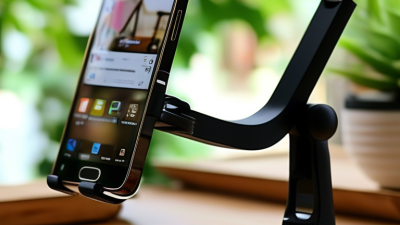
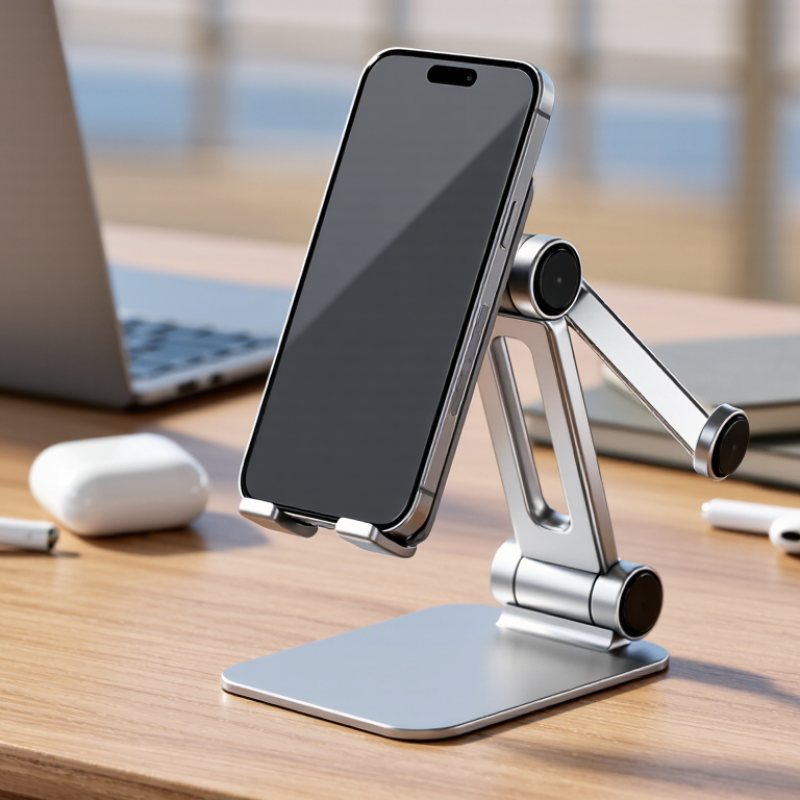
A desk phone holder is a support that keeps a smartphone upright or tilted on a work surface. Most designs use a base or desk clamp, a hinged arm, and a cradle or magnetic plate. The base resists movement while the hinge sets the viewing angle. Simple idea. The phone stays visible without being held.

When you place a phone in the cradle, padded edges or a retaining lip help prevent it from slipping. Magnetic designs rely on a compatible attachment point, so check that your phone can connect securely. Adjustable joints let you raise the screen toward eye level or angle it toward your hands. Some stands fold flat; others use a heavier base for steadiness. A loose hinge can sag, though, especially with a larger phone.

For desk use, stability matters more than a long list of adjustments. Tap the screen gently and notice whether the holder rocks or shifts. Check that the charging port remains accessible and that the stand does not block your keyboard or task lamp. A higher position may reduce neck bending, but it can also crowd a small desk. The best setup depends on your reach, screen size, and daily habits. Even then, the perfect angle may take a little trial and error.
Key Features to Compare in a Desk Phone Holder

A desk phone holder should keep the screen readable without forcing your neck to bend. Pew Research Center reported in 2024 that 91% of U.S. adults own a smartphone, making desk access a routine need for many people. Compare height and tilt adjustment first. OSHA’s computer workstation guidance recommends placing a monitor about 20 to 40 inches from the eyes, with its top at or below eye level. A holder that cannot reach a comfortable position may look tidy but still encourage awkward posture.

Check stability with your actual phone in place. A weighted base can suit a fixed desk, while a clamp may save space on a narrow tabletop. Test whether tapping the screen makes the holder wobble; a small shake can become annoying during video calls. Look for a grip that supports the phone securely without covering buttons or charging ports. Cable clearance matters, too. Some holders claim broad compatibility, but thick cases can change the fit.

Consider footprint, rotation, and cleaning. A rotating mount is useful when switching between portrait reading and landscape video, though loose joints may slowly sag. Measure the desk space before buying; a wide base can crowd a keyboard or notebook. I still find that the best viewing angle needs occasional adjustment, especially when moving between typing and calls. It is a minor flaw, but one worth checking in person.

7 Best Mobile Holders for Desk in 2026? - Key Features to Compare in a Desk Phone Holder
Desk Holder Type Adjustability Desk Footprint Portability Best Suited To Key Features to Check
Weighted-base stand Usually offers tilt adjustment; height adjustment depends on the design. Uses space on the desk for its base. Moderate; the base adds weight and bulk. Video calls, reading, and general desk use where a steady, freestanding holder is preferred. Base stability, viewing-angle range, phone support points, and whether the charging port remains accessible.
Foldable travel stand Often folds and may provide several viewing angles; adjustment range varies by model. Small when folded and generally compact when in use. High; designed to be packed away easily. Shared workspaces, travel, and users who need to store the holder between uses. Hinge firmness, folded size, base grip, and compatibility with the phone’s case and orientation.
Gooseneck clamp holder Flexible arm can be repositioned; movement may occur when the desk or arm is bumped. Clamps to a desk edge, with the arm occupying space above the work surface. Low to moderate; the clamp and arm are less compact than a folding stand. Hands-free viewing when positioning the phone above or beside the desk is useful. Clamp opening range, desk-edge clearance, arm stiffness, phone-grip security, and potential vibration.
Articulating clamp arm Jointed sections typically allow reach and angle adjustments. Attaches to a desk edge; the arm needs clearance to move. Low; intended mainly for a fixed workstation. Users who want to reposition a phone without taking up much of the desktop. Clamp compatibility with desk thickness, joint locking, arm reach, and whether the phone mount rotates.
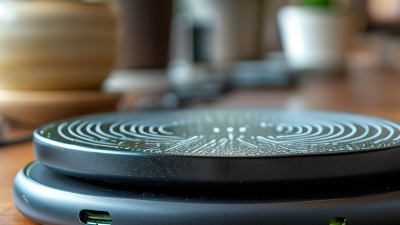
Charging stand Usually fixed or tilt-adjustable; charging position depends on the design. Typically occupies a small area near a power source. Moderate; portability depends on whether a separate cable or power adapter is needed. Keeping a phone upright at a desk while charging. Charging method and device compatibility, cable routing, case thickness limits, and whether the phone can be used in portrait and landscape orientations.
Multi-angle cradle Uses a notched or hinged support to provide selected viewing angles. Usually sits directly on the desktop and requires room for its base. Moderate to high if the cradle folds flat. Watching content, following instructions, or switching between viewing positions. Angle options, contact points that avoid obstructing buttons or ports, non-slip surfaces, and case fit.
Magnetic desk mount May allow angle or rotation adjustment, depending on the mount design. Can be compact; some versions attach to a desk edge while others use a base. Varies by mounting method and base size. Quickly attaching and removing a phone at a fixed desk position. Required magnetic attachment or case compatibility, holding strength, mount stability, and whether the phone can be positioned safely.

Seven Desk Phone Holders to Consider in 2026

A desk phone holder should solve a small, recurring problem: a phone sliding beside the keyboard, lying flat under papers, or disappearing during a video call. Buffer’s 2023 State of Remote Work survey found that 98% of respondents wanted to work remotely at least some of the time. That is a self-reported preference, not proof that a holder improves productivity, but it reflects why flexible desk setups matter. Seven useful styles to compare are a weighted-base stand, an adjustable-height stand, a folding travel stand, a magnetic mount, a clamp-on arm, a charging stand, and a multi-device dock.

The weighted base is steady for quick glances. An adjustable stand can raise the screen nearer eye level, though it may take up more space. Folding models pack easily, but lighter ones can shift when tapped. Magnetic mounts make one-handed placement simple; check phone and case compatibility before buying. Clamp-on arms clear desk space, yet a loose joint can let the phone droop. Charging stands reduce cable clutter, while multi-device docks suit desks already crowded with screens. Small details matter.

Gallup’s 2024 workplace reporting describes hybrid work as common among many remote-capable employees, but it does not test phone holders. So treat any comfort or focus benefit as a personal fit, not a guaranteed result. Measure the desk edge, check viewing angle while seated, and test whether buttons remain accessible. I would not choose by appearance alone; I have underestimated how annoying a wobbly hinge can be. A plain, stable stand may be enough.

7 Desk Phone Holder Types to Consider in 2026

Bars show the number of independently adjustable directions in each example configuration: tilt, swivel, and height. Counts describe the configurations shown, not every product in each holder category.

How Holder Designs Suit Different Devices and Workspaces

Choosing a desk phone holder starts with the device and the space around it. DataReportal’s Digital 2024 Global Overview Report estimated 5.61 billion unique mobile users worldwide in January 2024. Pew Research Center’s 2024 Mobile Fact Sheet reports that 91% of U.S. adults own a smartphone. These figures suggest broad demand, but not one ideal holder. Small desks differ. A compact, weighted base suits a crowded worktop, while a clamp mount can free space beside a keyboard.

For phones used during calls, look for adjustable height and tilt. The U.S. Occupational Safety and Health Administration recommends positioning computer screens to reduce awkward neck and eye angles; a phone stand can support a similar setup, though it is not a substitute for a properly placed monitor. Wide cradles fit cases and larger phones. A tablet needs a broader support and a sturdier hinge, especially when users tap the screen. Check that charging ports remain accessible.

Shared desks benefit from foldable holders that store quickly. In a fixed home office, a weighted or articulated stand may offer steadier viewing. That trade-off is easy to miss: portability can mean a lighter base that shifts during typing. A holder that looks adjustable in a product photo may also wobble at full extension. Measure the desk edge, device width, and viewing height before choosing. The “best” angle is personal, and posture changes during the day.

How to Choose a Desk Phone Holder for Your Needs

Choosing a desk phone holder starts with how you use your phone. Video calls need a stable, eye-level position, while quick notifications may only require a slight tilt. A holder that raises the screen can reduce neck strain, but it should not block your monitor or workspace. Measure the space beside your keyboard before choosing a wide base or clamp. Small desks fill up fast.

Check whether the holder fits your phone with its case attached. Adjustable arms and hinges are useful, but they should stay firm when you tap the screen. A quick test helps: place your phone in the holder and type a short message. If the stand wobbles, it may become irritating during calls. That matters. Also consider charging access. A cutout near the charging port can keep a cable from bending sharply, though not every design leaves enough room.

Your desk setup should guide the material and mounting style. A weighted base is easy to move between rooms, while a clamp can free up desk space. Clamps need a suitable edge, and they may leave marks on softer surfaces. I would not choose the tallest adjustable model automatically; extra height is only useful if it improves your viewing angle without making the phone feel unstable. Check the hinge tension and the footprint, not just the advertised features.