Top Mobile Stand for Mobile Phones?

Choosing the Top Mobile Stand for Mobile Phones is not simply about appearance or low price. A reliable Mobile Stand For Mobile should support the phone steadily during calls, reading, filming, and charging. It should also fit real daily spaces, such as a crowded desk, kitchen counter, or bedside table.

This guide examines practical details that matter. We will consider base weight, hinge strength, viewing angles, surface grip, cable access, and phone compatibility. A good stand should remain stable when one finger taps the screen. It should not slide when a charging cable is connected. Materials also deserve attention. Aluminum often feels stronger, while plastic can be lighter and more affordable.

Small details matter.

Hands-on use reveals problems that product photos hide. Some hinges loosen after repeated adjustments. Some rubber pads collect dust or leave the stand less stable. These weaknesses may not appear during a short demonstration. For that reason, the evaluation should combine practical experience, manufacturer specifications, and consistent testing conditions. No stand is perfect. My preference may lean toward heavier designs, but travelers may reasonably choose lighter models. That difference should not be ignored.

The goal is not to name one universal winner. It is to help readers match a Mobile Stand For Mobile with their habits, phone size, workspace, and budget. A dependable choice should feel almost invisible in use. It simply holds the phone where needed, without creating new frustration.
Top Mobile Stand for Mobile Phones?

Types of Mobile Phone Stands

A mobile phone stand is useful when its design matches your daily routine. The top mobile stand depends on location, phone weight, and adjustment needs. I learned this after choosing a light folding stand for my kitchen counter. It slipped when I tapped the screen with wet fingers. Small detail, but important.

Desktop stands suit video calls, recipes, and extended reading. They usually offer a wide base and adjustable viewing angles. Look for rubber feet, a firm hinge, and enough charging-cable clearance. A foldable stand fits easily into a bag. It works well in cafés, classrooms, and offices. However, thin hinges may loosen over time. It is portable, not always stable. A clamp stand attaches to a desk edge or bedside surface. Its long arm allows flexible positioning, although crowded edges can weaken its grip.

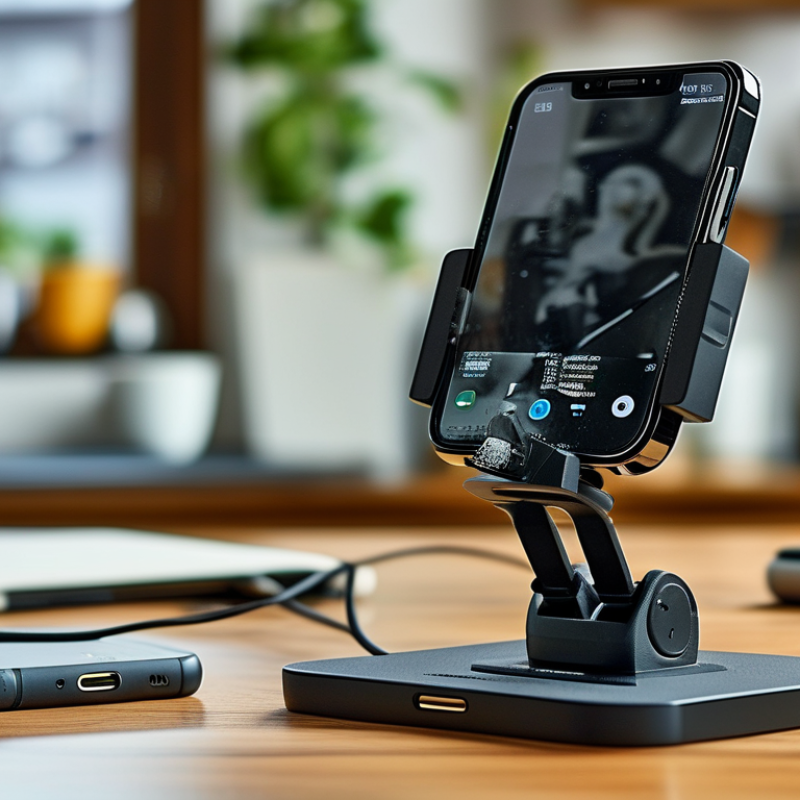
Car stands commonly use dashboard mounts, vent clips, or suction mounts. Choose a position that does not block visibility or essential controls. Dust and textured surfaces can reduce suction strength. Magnetic stands attach quickly, but they require compatible phone hardware or a suitable case. They can feel slightly raised during use. A charging stand is convenient for a fixed desk, especially during overnight work. Check its alignment before relying on it. My first charging stand looked neat, but the phone shifted whenever the cable moved.
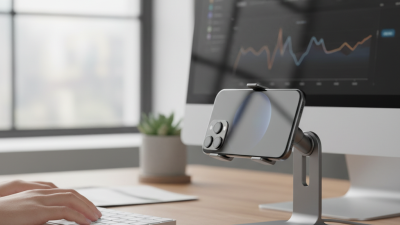
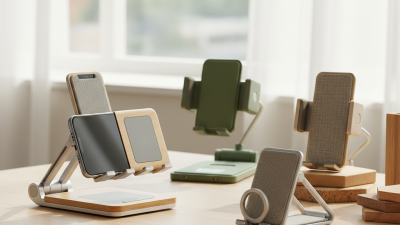
Top Mobile Stand for Mobile Phones? - Types of Mobile Phone Stands
Stand Type Best Use Typical Adjustability Portability Stability Charging Support Common Materials Key Advantage
Desktop Cradle Video calls, reading, and desk work Usually fixed or angle-adjustable Low to moderate; designed to stay on a desk High when placed on a level surface Often supports cable charging through an open base Plastic, aluminum, silicone or rubber pads Simple setup and dependable everyday use
Foldable Travel Stand Travel, commuting, and temporary workspaces Limited angle adjustment; folds flat High; compact and lightweight Moderate on stable surfaces Commonly designed with a cable opening Lightweight plastic, aluminum or stainless steel Easy to store in a bag or pocket
Adjustable Phone Holder Ergonomic viewing at different heights and angles Height, tilt, and sometimes rotation adjustment Moderate; larger than a basic cradle High when the base is weighted or wide Usually compatible with wired charging Metal, reinforced plastic, silicone or rubber Flexible positioning for improved posture
Clamp-Mount Stand Bedsides, desks, shelves, and workstations Arm length, tilt, and rotation may be adjustable Low; intended for semi-permanent placement High when securely attached to a suitable edge Generally allows a charging cable to pass through Steel or aluminum arms with padded clamps Saves desk space and provides flexible positioning
Suction-Cup Mount Smooth dashboards, windows, and other nonporous surfaces Typically adjustable by ball joint or arm Moderate; can be repositioned but is bulkier High on clean, smooth, nonporous surfaces Usually leaves the phone port accessible Plastic, metal, silicone and synthetic rubber Useful for vehicle or window mounting
Magnetic Mount Quick mounting in vehicles, offices, and kitchens Often provides tilt and rotation through a joint Moderate to high, depending on the base Moderate to high with a strong base and correct alignment May support wireless charging when specifically designed for it Metal, plastic, magnets and silicone surfaces Fast one-handed attachment and removal
Tripod Phone Stand Photography, filming, livestreaming, and presentations Height, leg spread, tilt, and orientation adjustment Moderate; collapsible but larger when packed High on a level surface when fully opened Usually allows cable charging through the holder Aluminum, steel, reinforced plastic and rubber feet Provides a stable camera position and broad height range
Selection factors include surface compatibility, viewing angle, portability, stability, phone case thickness, and access to the charging port.

Key Features of a High-Quality Mobile Stand

A high-quality mobile stand should keep a phone steady during calls, reading, filming, or charging. Stability begins with a weighted base and a wide footprint. On a busy desk, a narrow stand can tip when one finger taps the screen. Rubber pads also matter. They reduce sliding and protect polished surfaces from small scratches.

Adjustability improves daily use. A reliable stand should offer a firm hinge, several viewing angles, and enough height for comfortable eye contact. The phone should remain secure in both portrait and landscape positions. Check the holder width before buying, especially if the phone uses a thick protective case. A well-designed opening should also leave space for a charging cable.

Material quality affects long-term performance. Aluminum or reinforced plastic can resist ordinary desk wear, but loose joints often appear after repeated adjustments. I once preferred a lighter stand because it was easier to carry. It moved too easily during video calls. That experience changed my view of portability. A slightly heavier model may feel less convenient, yet it usually provides better balance. Ventilation around the phone is useful during navigation or long streaming sessions. Still, no stand can fix poor placement. Keep it away from direct sunlight and unstable desk edges.

How to Choose the Best Stand for Your Phone

Top Mobile Stand for Mobile Phones?

How to Choose the Best Stand for Your Phone

Choosing a phone stand starts with stability, not appearance. A reliable stand should stay firm when you tap, swipe, or answer a call. Look for a weighted base, a strong hinge, and rubber pads underneath. These details prevent sliding across a smooth desk. I once bought a lightweight stand that looked attractive but tipped during video calls. That was my mistake.

Check whether the stand fits your phone with its case attached. Measure the holder width and compare it with your device. Adjustable viewing angles are useful for reading, video meetings, and recipes. Your screen should sit close to eye level, reducing repeated neck bending. A flexible design can help, but loose joints often become annoying over time. Test the hinge before buying, if possible.

Charging access also matters. Place your phone on the stand and check whether the cable reaches naturally. A narrow opening can press against the connector or bend the cable. Metal may offer durability, while plastic can be lighter and easier to carry. Neither material is automatically better. Consider heat, too, especially when the phone is charging during long calls. Leave space around the device for airflow. Small details matter.

Comparing Materials, Designs, and Mounting Options

Top Mobile Stand for Mobile Phones?

The best mobile stand depends on where and how you use it. On my desk, an aluminum stand feels stable and cool to the touch. It also resists small movements during video calls. Plastic models are lighter and often cheaper, but thin frames may bend over time. Wood adds warmth, although its fixed angles can limit comfort.

Design matters more than appearance. A wide base prevents tipping when you tap the screen. Adjustable hinges help position the phone for reading, filming, or charging. Open supports are useful because cables can pass underneath.

Foldable designs travel well, but their joints may loosen after repeated use. I once chose a compact stand that looked practical. Its viewing angle was poor. That mistake changed how I judge portability.

Mounting options suit different environments. A desk clamp saves surface space and holds firmly. A suction mount works on smooth glass, but dust can reduce its grip. Adhesive mounts are neat, yet removal may leave residue. Vent mounts are convenient in vehicles, although they can block airflow. Check the phone’s weight and case thickness before choosing. Small details matter.

Tips: Test the stand with your heaviest phone case. Press the screen from different angles. Watch for wobbling. Keep charging ports accessible. If the hinge feels loose in the store, choose another model. A stand should support daily habits, not only look attractive.

Safety, Stability, and Everyday Usage Considerations

A top mobile stand should do more than hold a phone upright. It should resist tipping when one hand taps the screen. A wide base, low center of gravity, and textured feet improve stability on smooth desks. Hinges also matter. Excessive looseness can make the display slowly sink during video calls.

The GSMA Mobile Economy 2024 report estimates more than 4.6 billion people use mobile internet worldwide. That scale makes everyday stand safety worth examining, not treating it as a minor accessory issue. During practical use, place the phone near the stand’s center, not at its outer edge. Keep charging cables relaxed. A tight cable can pull the stand sideways. Avoid covering ventilation openings, especially during navigation, recording, or extended charging. Small details matter.

Screen height affects comfort too. Human-factors guidance generally supports placing frequently viewed displays near eye level, reducing repeated neck bending. The Occupational Safety and Health Administration recommends keeping monitors positioned to limit awkward head and neck movement, although a phone stand cannot replace a complete ergonomic setup. No stand is perfect. A heavy phone case may change the balance. A polished desk may defeat weak rubber feet. I would test the stand with one-handed tapping, cable movement, and a gentle desk bump before trusting it daily. Stability should be observed, not assumed.

Top Mobile Stand for Mobile Phones: Safety, Stability, and Everyday Usage Considerations

This practical 100-point evaluation model highlights the factors that matter most when choosing a mobile phone stand for daily use. Stability and safety receive the highest weighting because they help reduce tipping, slipping, and accidental phone drops.

The scores represent a practical comparison framework rather than laboratory test results. A well-designed stand should provide a stable base, secure phone contact, useful viewing-angle adjustment, comfortable everyday positioning, and reasonable portability.