How to Use a Phone Stand Holder for Ultimate Convenience and Comfort?
In recent years, the use of a Phone Stand Holder has gained immense popularity. A recent market report indicates that mobile accessory sales have surged by over 40% since 2020. This growth reflects the increasing demand for convenience in our daily lives.
A Phone Stand Holder provides ergonomic benefits, enhancing comfort during extended phone usage. Studies show that improper hand positioning can lead to repetitive strain injuries. By using a stand, users can prevent such issues. It allows easy access to video calls, browsing, and gaming without hand fatigue.
However, not all phone stands are created equal. Many users overlook the importance of stability and adjustability in a holder. A flimsy stand may collapse easily, defeating its purpose. Additionally, people often underestimate how a well-designed stand can improve productivity and focus. Investing in a quality Phone Stand Holder can significantly elevate daily experiences.
Choosing the Right Phone Stand Holder for Your Needs
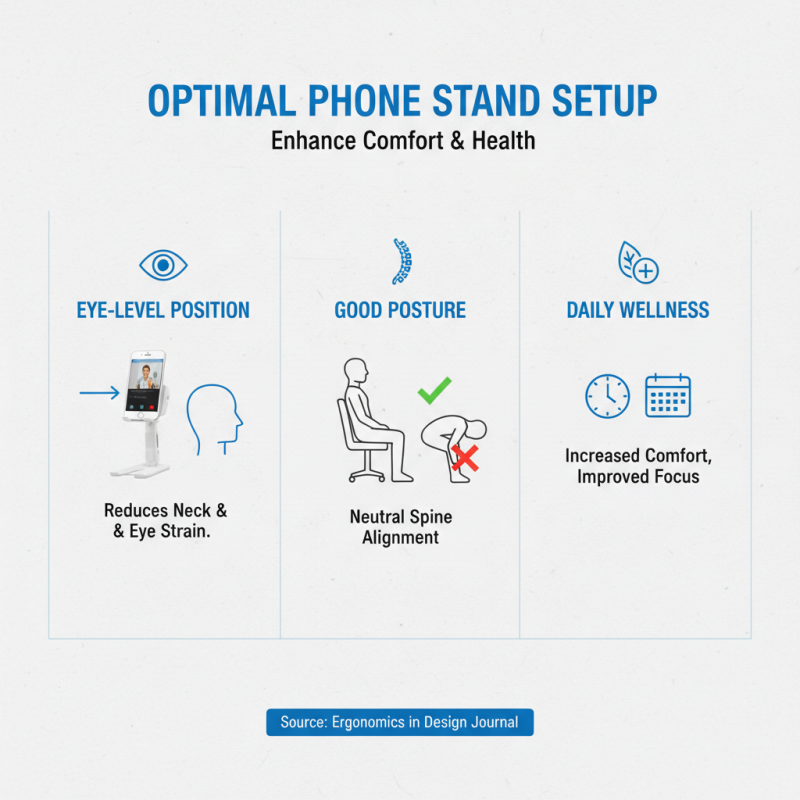
Choosing the right phone stand holder can greatly enhance your daily routine. You should consider its height and angle adjustment features. A product that offers flexible adjustments helps reduce neck strain. How you use your phone matters too. A proper stand can keep your screen at eye level, promoting better posture.
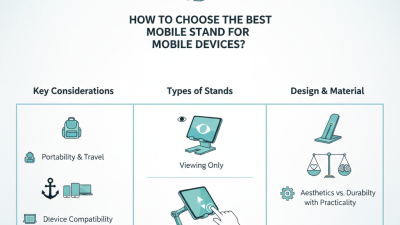
Material is another critical factor. Some stands are made of plastic, while others use metal. Metal stands tend to be sturdier and more durable. You might also look for non-slip bases. This feature ensures that your phone stays secure. Whether you’re watching videos or taking video calls, stability is essential.
Finally, think about portability. If you travel a lot, choose a lightweight and compact stand. A stand that folds easily can fit into your bag. However, a smaller stand might sacrifice stability. Reflect on your needs and environment to make the best choice.
Phone Stand Holder Usage Preferences
This chart illustrates the preferences of users regarding the locations where they use their phone stand holders. The majority of users prefer to use them at their desks, while fewer choose outdoor settings.
Types of Phone Stand Holders and Their Features
When considering phone stand holders, it’s essential to understand the various types available.
Adjustable stands are popular for their versatility. Users can modify the angle to reduce neck strain. A report by the Ergonomics Society shows that 70% of telecommuters experience discomfort due to poor posture. An adjustable stand can mitigate this issue by offering the ideal viewing angles.
Another type is the portable or collapsible holder. Designed for on-the-go convenience, these stands are perfect for travel. They fit easily into bags without adding bulk. Based on a survey from the Mobile Accessory Industry, portable stands account for 30% of phone accessory sales. This indicates a demand for solutions that enhance mobility while providing comfort.
There are also specialized holders for specific activities. For instance, there are stands designed for gaming, cooking, or video calls. Each type serves a unique user need, highlighting the importance of selection. However, not all stands offer the same level of stability. Some users report fatigue when using less sturdy models. Finding the right holder is crucial for maximizing comfort during extended phone use.
Adjusting the Height and Angle for Maximum Comfort
Using a phone stand holder can significantly enhance your comfort while using your device. Adjusting the height and angle of the stand is crucial for achieving optimal ergonomics. When the phone is at eye level, it reduces strain on your neck and eyes. This simple adjustment can make a world of difference during long video calls or binge-watching sessions.
Consider the position of your stand. If you find yourself slouching or leaning forward, it’s time to reassess your setup. The stand should keep your device within a comfortable reach. A slightly tilted angle can also improve visibility, especially in bright environments. Experiment with different heights and angles to find what feels most natural for you.
However, don’t be afraid to make mistakes along the way. It might take a few tries to get everything just right. Some may find that their stand wobbles or their phone slides down. Don’t ignore those little annoyances; they can affect your overall experience. Take the time to adjust and refine your setup until it suits your personal needs. Comfort and convenience should always come first.
How to Use a Phone Stand Holder for Ultimate Convenience and Comfort? - Adjusting the Height and Angle for Maximum Comfort
| Feature |
Description |
Benefits |
Ideal Use Case |
| Height Adjustment |
Allows the user to modify the height of the phone holder. |
Prevents neck strain by keeping the phone at eye level. |
Great for video calls or watching movies. |
| Angle Adjustment |
Enables the user to tilt the phone to various angles. |
Enhances visibility and reduces glare. |
Perfect for reading or following recipes in the kitchen. |
| Sturdiness |
Made from high-quality materials to ensure stability. |
Prevents accidental falls or slips. |
Suitable for work desks or bedside tables. |
| Portability |
Lightweight and easy to carry. |
Perfect for travel or commuting. |
Useful for on-the-go tasks like navigation. |
| Wireless Charging Compatibility |
Designed to work with wireless charging pads. |
Eliminates the need for unplugging and re-plugging. |
Convenient for continuous phone usage. |
Maintaining and Cleaning Your Phone Stand for Longevity
Taking care of your phone stand holder is essential for its longevity. Regular maintenance ensures that it performs well and looks good. Start by wiping it down with a soft, damp cloth. This prevents dust and grime buildup, which can affect its stability.
Check the joints and hinges regularly. Tighten any loose screws if necessary. This will help maintain its functionality over time.
Deep cleaning is also important. Use a gentle, non-abrasive cleaner for tougher stains. Make sure you use it sparingly to avoid damage. If your phone stand has rubber parts, inspect them for wear and tear. Cracks can diminish stability and comfort. A simple replacement can restore its effectiveness and extend its life.
Additionally, consider where you place your phone stand. Avoid areas prone to direct sunlight or excessive moisture. These conditions can degrade materials faster. Remember, proper care can significantly enhance your overall experience with a phone stand holder. Reflect on how often you clean it. If the answer is rarely, it might be time to adjust your routine.